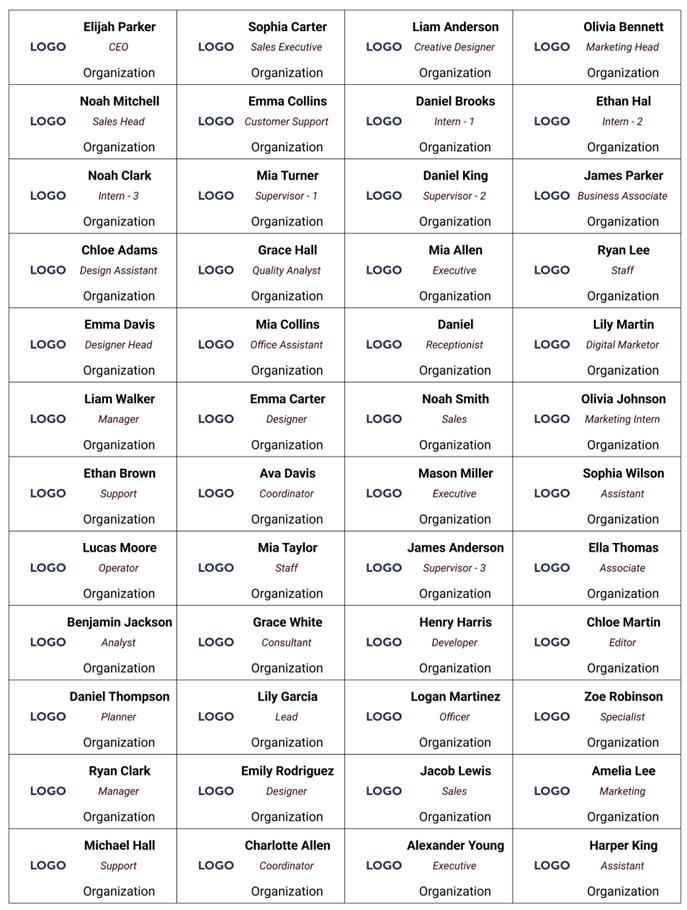
all names shown are fictional and AI generated
Design one name badge layout in My Badge Studio. Upload your CSV attendee list. Get thousands of personalised, print-ready badge PDFs — each with the correct name, and organisation — generated automatically in minutes. No Word, no mail merge, no design skills required.
The Problem with Traditional Bulk Badge Making
Anyone who has organised a conference, school event, corporate away day, or large fundraiser knows the pain of bulk name badges. You have a list of 500 attendees. You need 500 personalised badges — each with the right name, job title, and organisation. The traditional process is a nightmare.
The old way — Word mail merge, manual typing
- ✗ Set up a mail merge in Word — one wrong setting breaks everything
- ✗ Manually link columns — time consuming and error prone
- ✗ Alignment issues — badges never quite line up with the die
- ✗ Last-minute change? Redo the entire merge
The My Badge Studio way — design once, upload, done
- ✓ Design one badge layout — logo, font, color, size
- ✓ Main name badge size: 68x24mm (and other standard sizes)
- ✓ Upload your CSV file
- ✓ Unique personalised badge generated for every row
- ✓ Download all as print-ready PDFs in one click
Step-by-Step Guide to Bulk Badge Making
- Prepare your file: Create a simple CSV file with Name, Role, and Organisation.
- Choose size: The professional 68x24mm rectangle is the standard for name badges.
- Design layout: Add your event logo and position text placeholders where names will go.
- Upload list: Select your CSV file and My Badge Studio maps columns to your design automatically.
- Generate: Download your print-ready PDFs and start printing!
Recommended Paper Type
For the best professional finish, we recommend using 110 gsm paper. This provides the perfect balance of durability and print quality for event badges.
Ready to make 1,000 name badges in minutes?
Design your layout, upload your CSV file, and download all your PDFs instantly.
Frequently Asked Questions
Can I make name badges from a CSV file?
Yes. My Badge Studio lets you design one name badge layout, then upload your CSV file containing attendee names, roles, and organisations. The tool automatically generates a unique personalised badge for every row in your file and produces print-ready PDFs — all in minutes.
What is the best size for a name badge?
The 68x24mm rectangular size is the professional standard for staff and event name badges. It provides enough space for long names and logos while maintaining a sleek, wearable profile.
What paper weight should I use for bulk badges?
We recommend using 110 gsm paper for printing name badges. It offers a premium feel and sufficient thickness to ensure the badges are durable throughout your event.
How many name badges can I generate at once?
My Badge Studio can generate thousands of personalised name badges from a single CSV upload. Whether you need 50 badges or 5,000, the process is instant.