When you need a badge that reads as professional rather than playful, the oval badge is the one to reach for. At 65x45mm, its wide shape is the standard for staff name badges in hotels, clinics and corporate events — there is room for a full name and a job title without the cramped feeling you get on a round badge. With a free oval button template, you can have a whole staff set print-ready in minutes.
Here is the full guide to the oval size, plus how to design a print-ready badge template for free.
What is an oval (65x45mm) badge template?
An oval button badge measures 65mm wide by 45mm tall. The horizontal shape is exactly what makes it ideal for names: text runs comfortably across the width, and the badge is widely seen as more premium than a circular one.
An oval template places your artwork inside the correct shape with the right bleed and safety margins built in, so backgrounds wrap cleanly and names stay perfectly centred.
Oval sizing and bleed explained
The visible badge is 65x45mm, but the artwork extends to a 75x55mm cut line, giving a clean 5mm bleed all the way around. That border wraps behind the badge so your background colour reaches the edge with no white paper showing. A few pointers:
- Run backgrounds to the 75x55mm bleed so the wrap-around is seamless.
- Keep names and logos in the central safety zone, away from the curved edge.
- Use the width. Long names fit best when you take advantage of the horizontal space rather than stacking text.
The free oval badge template adds the 75x55mm cut line automatically, so the bleed is handled for you.
Who uses oval name badge templates?
The oval shape is the professional default for customer-facing roles:
- Hospitality — elegant name badges for hotel and restaurant staff; the oval reads as more premium than a circle.
- Retail — clear identifiers for store managers and service teams in busy environments.
- Corporate events — premium delegate and speaker badges, ideal with magnetic backings that won't damage clothing.
- Healthcare — readable name-and-title badges for clinic and dental staff.
How to design a free oval button template (3 steps)
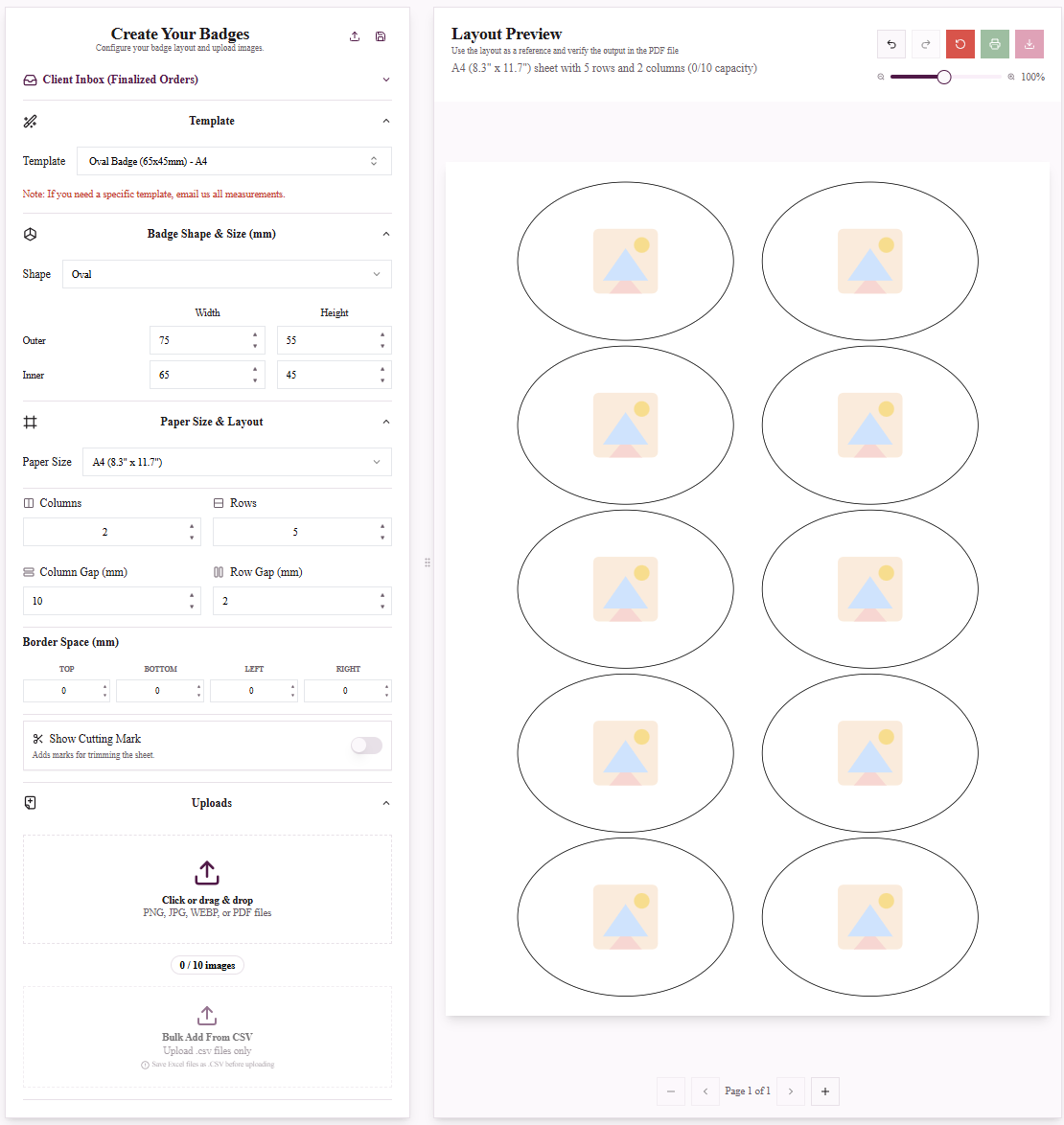
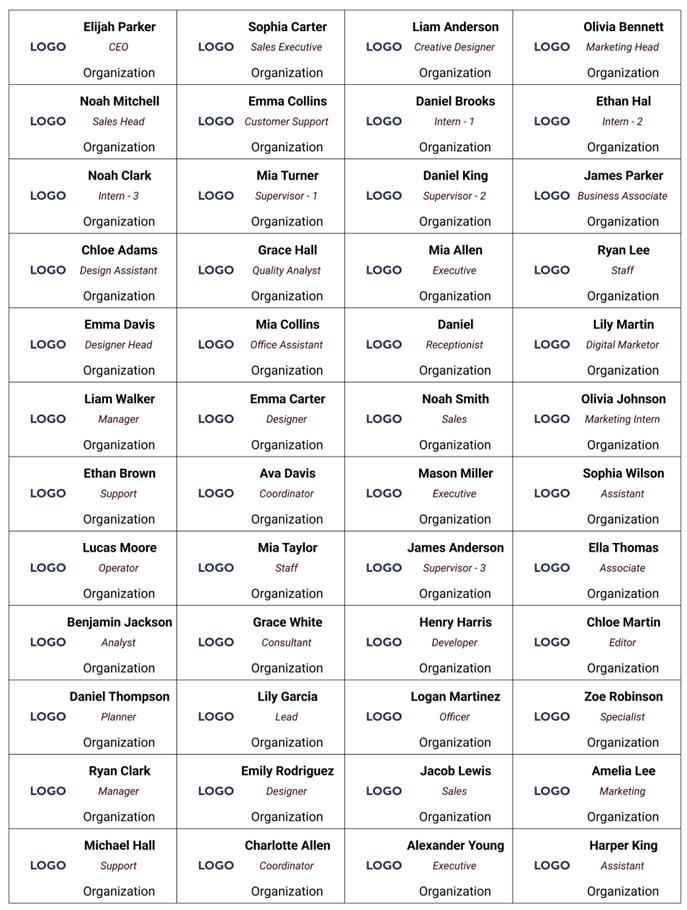
Designing professional oval name badges with custom text.
No design skills required. In the My Badge Studio Template Studio:
- Choose your design. Select the 65x45mm oval preset or upload your own image, then pick US Letter, A4 or A3. Landscape-oriented logos work especially well.
- Customise your badge layout. Add names, apply your brand colours and use the typography tools to fit long names comfortably across the width.
- Download your print-ready PDF. Generate a high-quality PDF, staggered to fit as many oval badges as possible on each sheet.
Start free, no credit card required.
Tip: Badging a whole team? Use Mail Merge (Bulk Add) to turn a CSV staff list into dozens of personalised oval name badges in one pass.
Which paper format should I use?
The oval template is available in US Letter, A4 and A3. US Letter and A4 suit everyday printers; A3 fits more badges per sheet for larger staff runs.
Will the template work with my badge machine?
Yes. The oval layout is calibrated for standard oval presses and tested with Tecre Oval, ChiButtons Oval, Enterprise Oval and VEVOR 65x45mm. Size, bleed and layout are built in, so there is no manual alignment to get wrong.
Other badge and button sizes
- 58mm (2.25 inch) round badge template — the largest round option.
- 44mm (1.75 inch) round badge template — popular all-rounder.
- Heart shape badge template — for gifts and specialty designs.
- Browse all templates and sizes.
Ready to upgrade your staff name badges?
The 65x45mm oval badge is the professional choice for hospitality, retail and corporate teams.
Frequently Asked Questions
What size is an oval badge?
The oval badge measures 65x45mm. The printed artwork extends to a 75x55mm cut line, giving a 5mm bleed for a clean wrap-around edge.
Why choose an oval badge over a round one?
The horizontal oval shape gives more room for names and job titles and is widely perceived as more premium, which is why it is the standard for hospitality and corporate name badges.
Is the oval name badge template free to use?
Yes, you can design an oval badge template for free with no credit card required. Paid plans add higher download limits and extra features.
Will an oval template work with my press?
Yes. It is tested with standard oval presses including Tecre Oval, ChiButtons Oval, Enterprise Oval and VEVOR 65x45mm.
Can I make a whole staff set at once?
Yes — use Mail Merge (Bulk Add) to generate personalised oval name badges for an entire team from a CSV list.