When it comes to button badges, size matters — and the 44mm button badge has earned its reputation as the most versatile size in the range. Not too small to go unnoticed, not so large it feels bulky, the 44mm badge sits in that perfect sweet spot that works for almost every occasion. And the secret to getting a great result every time? Starting with the right 44mm button badge template.
In this guide, we'll cover everything you need to know about 44mm badge templates — the zones, the design rules, and how My Badge Studio makes the whole process simple and print-ready in minutes.
What Is a 44mm Button Badge?
A 44mm button badge is a circular pin badge with a 44mm diameter across the front face. It's one of the most popular sizes used across events, retail, schools, and creative projects — sitting neatly between the compact 32mm badge and the bold 58mm option.
At this size, you have enough room for a logo, a short slogan, or a striking graphic — without the badge dominating whatever it's pinned to.
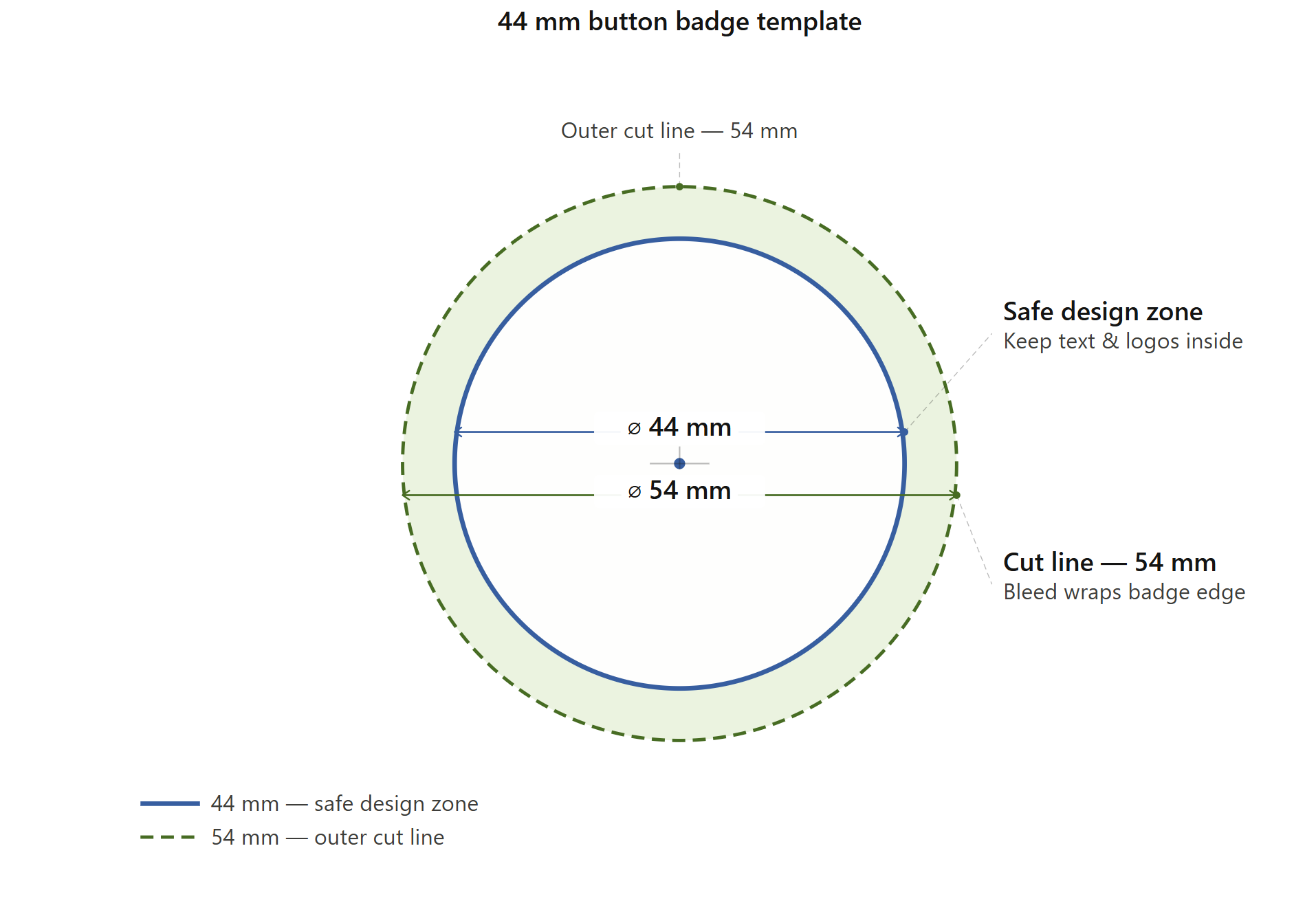
The three zones every designer needs to understand:
- ⌀ 44mm — Safe design zone: The inner circle where all your artwork, text, and logos must live. Everything inside this boundary is guaranteed to display cleanly on the finished badge front. Never place important elements outside this zone.
- ⌀ 54mm — Outer cut line: The total material diameter. The ring between 44mm and 54mm is the bleed and wrap zone — it folds over and crimps behind the badge back during production. Always extend background colours and patterns into this zone to avoid white edges.
A professional 44mm layout showing the safe face and outer bleed zones.
Why the 44mm Badge Is So Popular
The 44mm badge is the go-to size for good reason:
- It's readable without being oversized. A short name, slogan, or logo reads clearly at arm's length. It's the ideal size for event lanyards, campaign badges, and retail merchandise.
- It works on any surface. A 44mm badge sits neatly on a jacket lapel, a tote bag, a backpack, or a staff uniform without feeling out of place.
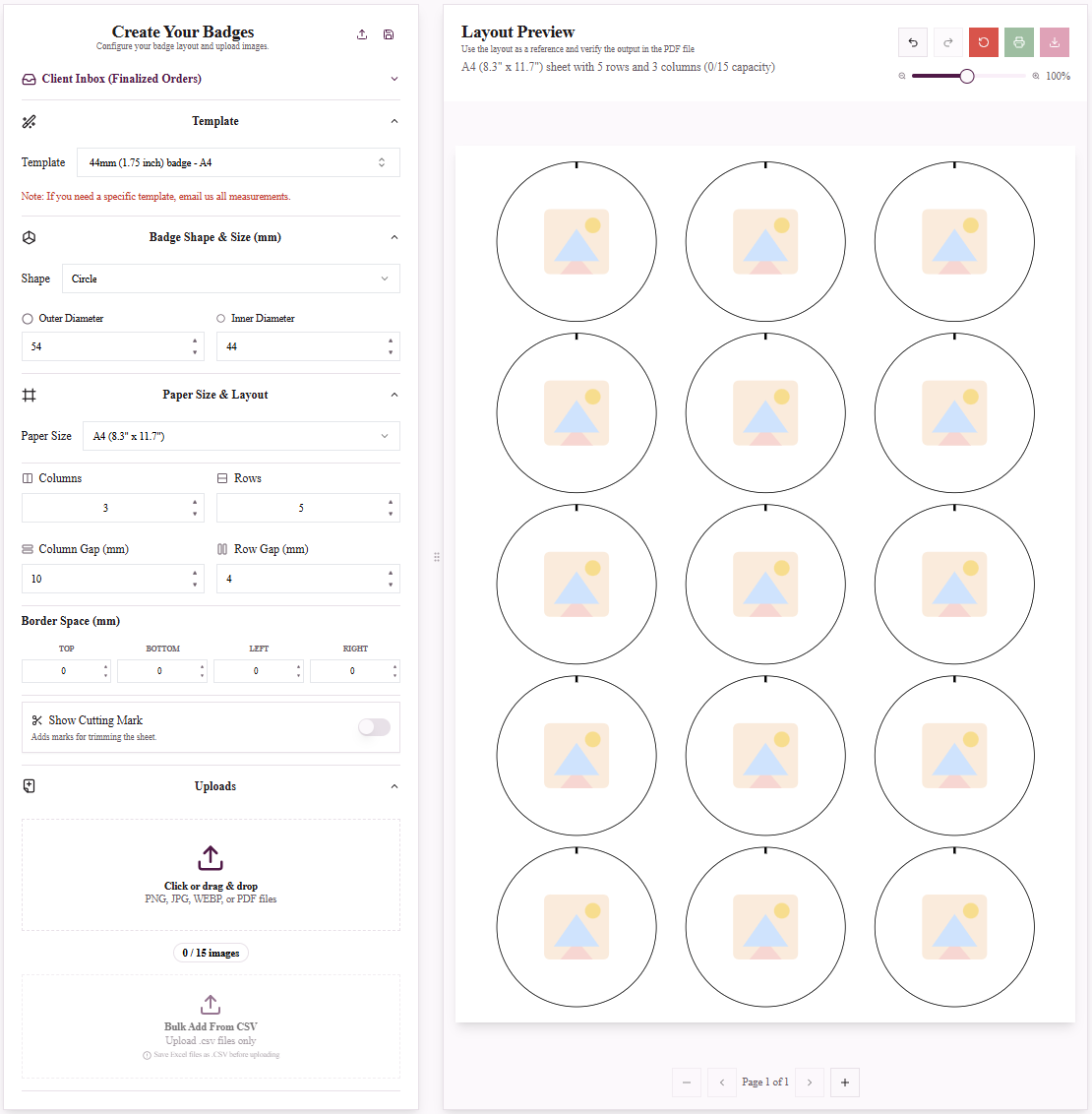
- It prints efficiently. An A4 sheet accommodates 15 badges at 44mm, making it one of the most cost-effective sizes for small-to-medium print runs.
- It suits all ages. Kids, teens, and adults all wear 44mm badges comfortably.
Who Uses 44mm Button Badges?
- Corporate events — delegate name badges, sponsor identification, team role markers.
- Retail & merchandise — band merch, brand promotions, product launches.
- Education — school prefect badges, reading achievement awards, club membership.
- Charities & campaigns — awareness ribbons, fundraising badges, charity runs.
- Weddings & celebrations — personalised favours, hen party badges, birthday pins.
Design Tips for a 44mm Button Badge
- Design at 300 DPI minimum. Always start with a high-resolution file for sharp printing.
- Stay inside the safe zone. Keep key text and logos comfortably within the 44mm inner circle.
- Extend backgrounds to the cut line. Fill your background colour or pattern all the way to the 54mm outer edge.
- Use bold, high-contrast colours. Small circular formats reward simplicity. High-contrast combinations read far better than subtle palettes.
- Limit your text. At 44mm, you have room for a short name, a brief slogan, or a single icon. Trying to fit too many words makes the badge feel cluttered.
- Avoid thin fonts. Hairline typefaces lose detail at badge size. Stick to medium or bold weights for maximum clarity.
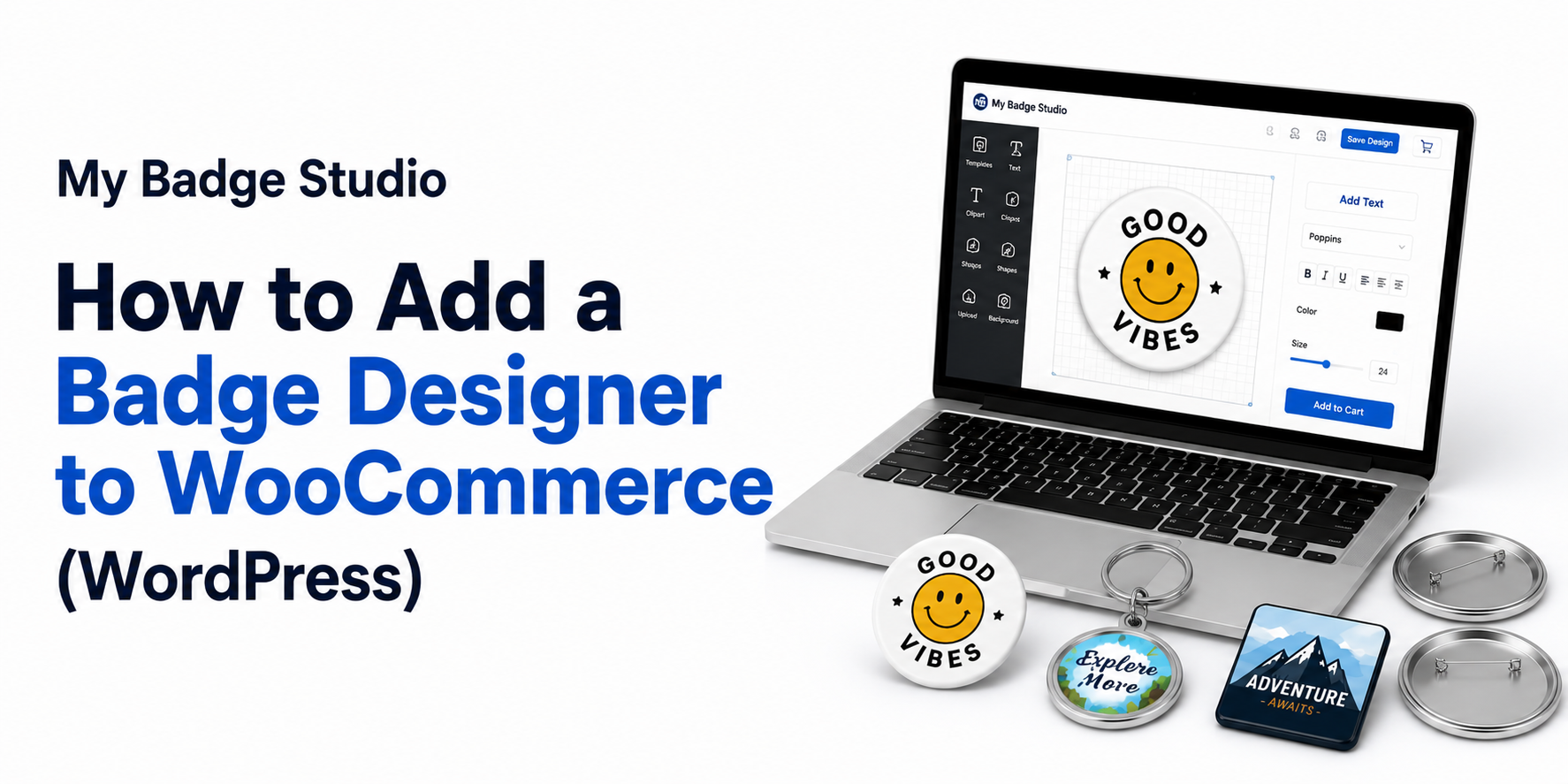
How My Badge Studio Makes 44mm Badge Design Effortless
Creating a 44mm badge template from scratch can take time in Photoshop or Illustrator. My Badge Studio removes all of that friction with:
- A pre-built 44mm badge template with correct zones already set up.
- No software required — design entirely in your browser.
- Instant print-ready output — download a file optimised for A4/Letter with multiple badges per sheet.
- Support for multiple badge sizes in the same session.
Ready to Design Your 44mm Button Badge?
The 44mm sits confidently in the middle — versatile enough for almost any use case.
Frequently Asked Questions
What size is a 44mm badge in inches?
A 44mm button badge is 1.75 inches in diameter — the versatile mid-size of the round range, ideal for name badges and merchandise.
What is the cut size for a 44mm badge?
The standard paper cut size for a 44mm badge is 54mm. This allows for a 5mm wrap around the edge of the metal component so no white shows on the finished badge. The template adds this automatically.
How many 44mm badges fit on an A4 sheet?
My Badge Studio fits 15 badges per A4 sheet, arranged in a 3x5 grid for maximum efficiency. Larger formats like A3 fit even more per sheet, lowering your cost per badge.
Will the 44mm template work with a 1.75 inch badge maker?
Yes. 44mm is the metric equivalent of 1.75 inches, and the templates are precision-sized with a 5mm bleed to work with all standard 44mm / 1.75 inch presses, including Tecre, ABM, VEVOR and Badge-A-Minit.
Is the 44mm button template free to use?
Yes, you can design a 44mm button badge template for free with no credit card required. Paid plans add higher download limits and extra features such as Mail Merge and all-template access.
What resolution should my artwork be?
Upload high-quality JPG or PNG files at 300 DPI so logos and text stay sharp once the badge is pressed.