The Enterprise Reseller License: Sell a Badge Designer Under Your Own Brand
Want to offer a professional "upload & design your own badge" experience to your customers — under your brand, without building the software yourself? The Enterprise Reseller License turns My Badge Studio into your product: you create and manage customer accounts from a dedicated dashboard, decide each customer's plan and limits, and put your own logo, domain and message on the designer they use. Here's the complete guide.
Who the Enterprise Reseller License is for
It suits badge & fridge-magnet machine manufacturers, badge shops, print businesses, event companies, agencies and platforms that want a ready-made, brandable badge and fridge-magnet designer to sell on — instead of sending customers to a third-party tool or coding one from scratch. For a machine manufacturer, it's the perfect companion to the presses you sell: hand every buyer a designer that produces press-ready artwork for your machines.
How it works — in four steps
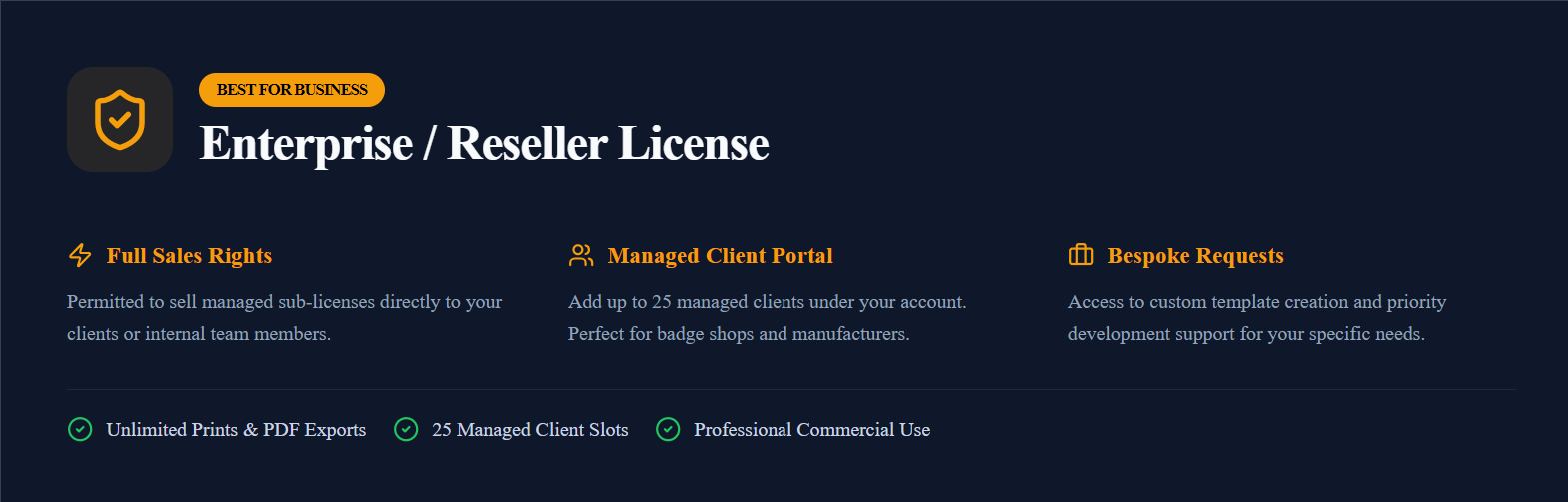
- You get a reseller dashboard. When your license is active, your account unlocks the Reseller dashboard with a set number of customer "slots" (25 by default).
- You invite your customers. Send an email invitation, choosing the plan, download quota and duration for that customer. They accept, set a password, and they're in.
- They design under your brand. Your customers upload photos, design badges and magnets, and download print-ready files — inside a designer that carries your logo, name and any message you set.
- You stay in control. Change a customer's plan or quota, pause or end access, and update your branding at any time — instantly, with no involvement from us.
What's included
- Reseller dashboard — invite, manage and remove customer accounts.
- Customer accounts (client slots) under your license — 25 by default, and customizable to the number you need.
- Per-customer plans — assign the plans your license includes to each customer.
- Your branding — your logo and business name on your customers' designer.
- Customer message & branding panel — a popup or banner (offer, welcome, notice) you control.
- Shared AI-editing credit pool you can allocate to customers.
The plans you assign to customers
You assign each customer a plan from the tiers your license includes. What you can assign depends on what you buy — buy the Creator tier and you assign Creator only; buy the top tier and you can assign any plan up to Business Plus. The three plans:
- Creator — 50 prints & PDF downloads, watermark-free files, standard templates, 3 saved custom templates.
- Business — unlimited prints & downloads, full template library, 10 saved templates, priority support.
- Business Plus — everything in Business, plus the event/client-access portal, a storefront with customer ordering, and a custom sticker library.
Which plans can you assign? Exactly the ones your license covers. Buy the Creator tier and your dashboard offers Creator only; buy the top tier and it offers every plan up to Business Plus. So you sell your customers precisely the level you purchased — no more, no less.
Inviting and managing customers
From Send Direct Email Invitation, fill in the customer's email, their initial plan, download quota, number of days (capped at the time left on your license), and optionally switch on AI editing with a credit allocation. Press Send Invite and they receive a link to accept.
Under Active Clients, each customer shows their plan, status, quota, AI credits and expiry. You can edit any of those (or set a customer active/inactive) and terminate an account to free its slot for someone new. Invitation History lets you resend or revoke pending invites.
Your branding — and a message to your customers
Your customers work in a designer that already carries your identity: your logo and business name appear on their designer and order pages, so customers stay in your brand rather than being sent to a generic third-party tool.
The Customer Message & Branding panel lets you show your own note — a welcome, an offer, a notice — as a popup or banner inside the designer, seen only by your customers. You control the title, message, an optional link, whether it appears as a popup or banner, and how often (once, once per session, once per day, or every visit). Change it anytime; a changed message re-appears even to customers who dismissed the previous one, so a fresh offer is never missed.
AI credits, billing and term
AI photo editing runs on credits from a shared pool on your license; you decide how much of it each customer can use, up to the balance shown in your dashboard. The license runs for a fixed term (shown as days remaining), every customer you invite is capped to that window, and your 25 client slots are reusable. Renew to extend the term — your customers, branding and settings carry over.
Ready to sell a badge designer as your own? Explore the Enterprise Reseller License or talk to us about volume, longer terms, or per-seat and revenue-share billing.
Frequently Asked Questions
Do my customers pay you, or me?
Under the reseller model you manage and bill your customers yourself — they don't hold their own subscription with us. You hold the Enterprise license; they hold accounts you provision from your dashboard.
Can I limit which plan my customers can choose?
Yes. Your license can restrict the Initial Plan dropdown to a subset — for example only Business Plus — so you offer exactly the plans you want. Left open, all three (Creator, Business, Business Plus) are available.
Will my customers see the My Badge Studio name?
The designer shows your logo and business name, so it carries your brand. A small 'Powered by My Badge Studio' mark remains on the designer.
How many customer accounts do I get, and can I get more?
The license includes 25 reusable client slots. Need more accounts, a longer term, or per-seat / revenue-share billing? Those are arranged per agreement — tell us your expected volume and we'll tailor it.
What happens to my customers when the license ends?
Access for you and your provisioned customers pauses until you renew. Renewing restores everything — accounts, branding and settings — exactly as they were.