50×50mm Square Fridge Magnet Guide: Sizes, Setup & Ideas
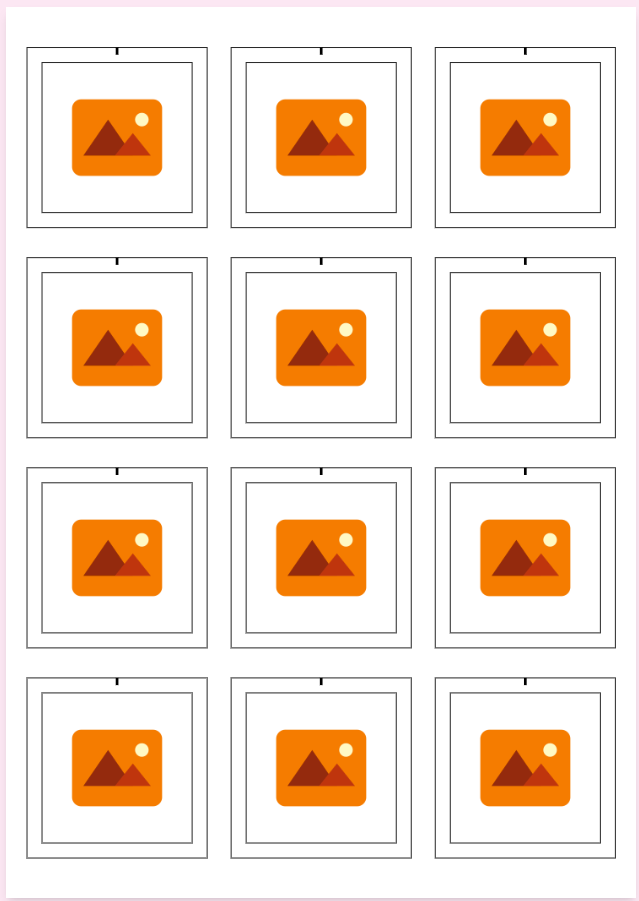
The 50×50mm square magnet is the photo-product sweet spot: big enough for a face to read across the kitchen, small enough that customers buy them in sets of six or nine. If you sell one magnet size, make it this one.
Template dimensions
- Finished (inner) size: 50 × 50mm.
- Full print size includes the wrap/bleed margin — the 50×50mm template draws both automatically with sheet cut guides.
- Flat (flexible) magnet sheets? Set inner and outer to the same value for a clean edge-to-edge print with no rim.
Layouts that sell
- Edge-to-edge photo — the square IS the product. Use Centre Face so every magnet in a set is framed identically.
- Instagram grid sets — 6 or 9 photos as a set recreates a feed on the fridge; the single easiest upsell in photo products.
- Photo + caption — a strip of text on the lower quarter ("Goa 2026") turns snapshots into keepsakes.
- Puzzle split — one large photo split across a grid of magnets that reassemble on the fridge (full guide).
Sets over singles: price 1 magnet at X and 6 at 4X. Nearly everyone chooses the set — same press time per unit, better order value.
Who buys them
- Families — kids' photos for grandparents; the classic repeat order.
- Weddings — magnet save-the-dates and favour sets.
- Travel & couples — trip grids, anniversary sets.
- Businesses — logo magnets with a QR code that lives on the customer's fridge (see QR badges).
Open the 50×50mm square magnet template and press a set — squares are the easiest sell in the catalogue.
Frequently Asked Questions
What's the best size for photo fridge magnets?
50×50mm is the sweet spot — large enough for faces to read across a room, small enough to sell in sets of 6 or 9. The template handles the print size with bleed and cut guides automatically.
Can I do edge-to-edge prints for flat magnets?
Yes. For flexible/flat magnet sheets, set the inner and outer dimensions to the same value — you get one clean, edge-to-edge 50×50mm print area with no rim.
How do I make a photo-grid magnet set?
Upload 6–9 photos, use Centre Face so every square is framed consistently, and print the sheet — or use Puzzle Split to break one large photo across the whole grid so it reassembles on the fridge.